1- How to Install and Use MetaMask?
-On Desktop
In order to use the blockchain, you need to install a mobile distributed application (dApp) browser. One of the most popular dApp browsers is known as Metamask. Follow the first set of instructions to install it on the Chrome browser, and then read on to start unlocking the power of the blockchain!
Installing Metamask
Step 1. Go to the Metamask website.
Step 2. Click “Get Chrome Extension” to install Metamask.
Step 3. Click “Add to Chrome” in the upper right.
Step 4. Click “Add Extension” to complete the installation.
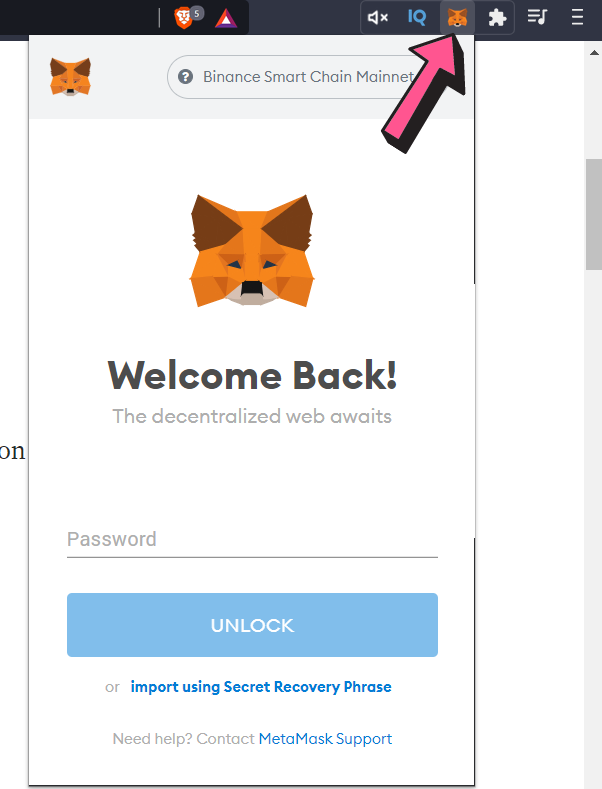
You will know Metamask has been installed when you see the fox logo on the upper right hand corner of your browser.
Using Metamask
One of the first tasks you will want to do on Metamask is to install a wallet (or “vault” as Metamask calls it) to hold your cryptocurrencies. To do this, follow the instructions below.
Step 1. Click on the Metamask logo in the upper right hand corner of your Google chrome browser.
Step 2. Read and agree to the terms and conditions. You may have to agree to 2 to 3 pages worth of terms.
Step 3. Enter a password and click “Credata-wow-delay=".4s"ate” to create your wallet.
Step 4. You will see a set of 12 “seed words” for your vault. Click “Save Seed Words as File” and copy the “MetaMask Seed Words” file that is downloaded to a safe place. You will need it to access your vault.
Step 5. Click “I’ve Copied It Somewhere Safe” once your seed words file has been secured. You’ll be taken into your Metamask wallet!
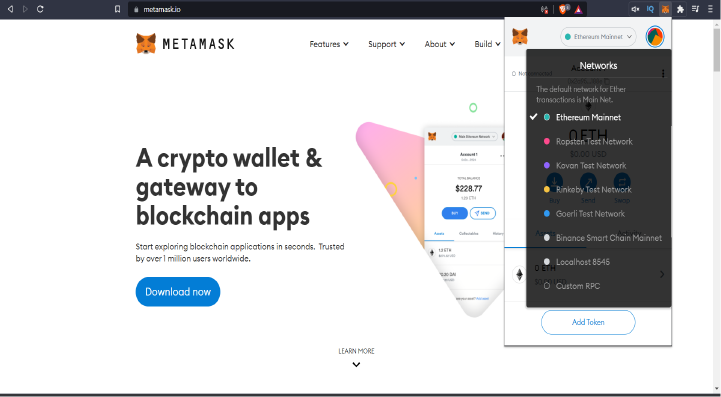
You are now in the Ethereum mainnet network. To start experimenting with Metamask, you can switch to one of the testnet networks by clicking “Main Network” in the left hand corner of the wallet pop up screen, and selecting one of the testnets such as Ropsten Test Network or Kovan Test Network.
-On Mobile
Go to MetaMask.io and select from Android or iOS for mobile application and select Chrome for desktop. You can also go directly to the Chrome store, Google Play store, or Apple App Store.
Need more help?
Contact us!
The CannaCoin team is ready to help. Please fill in the information below and a member of our team will contact your directly.