2- How to add CANNA Coin Manually?
-On MetaMask
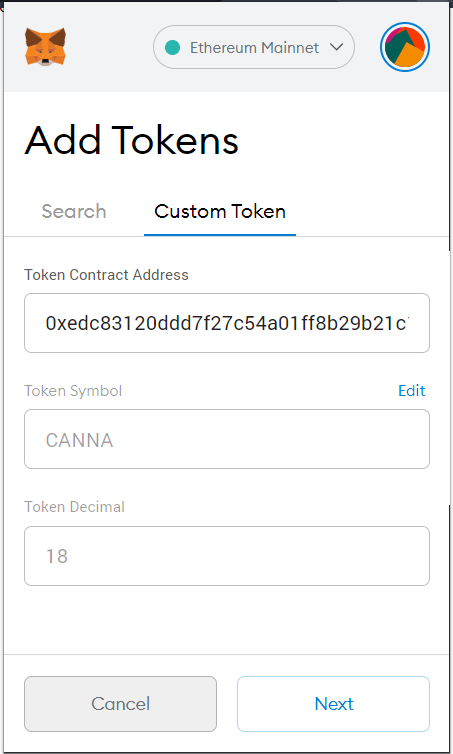
1. On the Add Token page, click on the Custom Token tab to expand the search window.
2. Enter the token address in the field called Token Address :
0xedc83120ddd7f27c54a01ff8b29b21c153eb9e52
3. In most cases, the Token Symbol and Decimals of Precision will autofill, otherwise please follow the points below. Note: if these options are not working, you could also look at the token project's documentation for these details
4. Click Next to proceed
5. You will be redirected to confirm adding a token. Click Add Token to confirm
-On etherscan.io
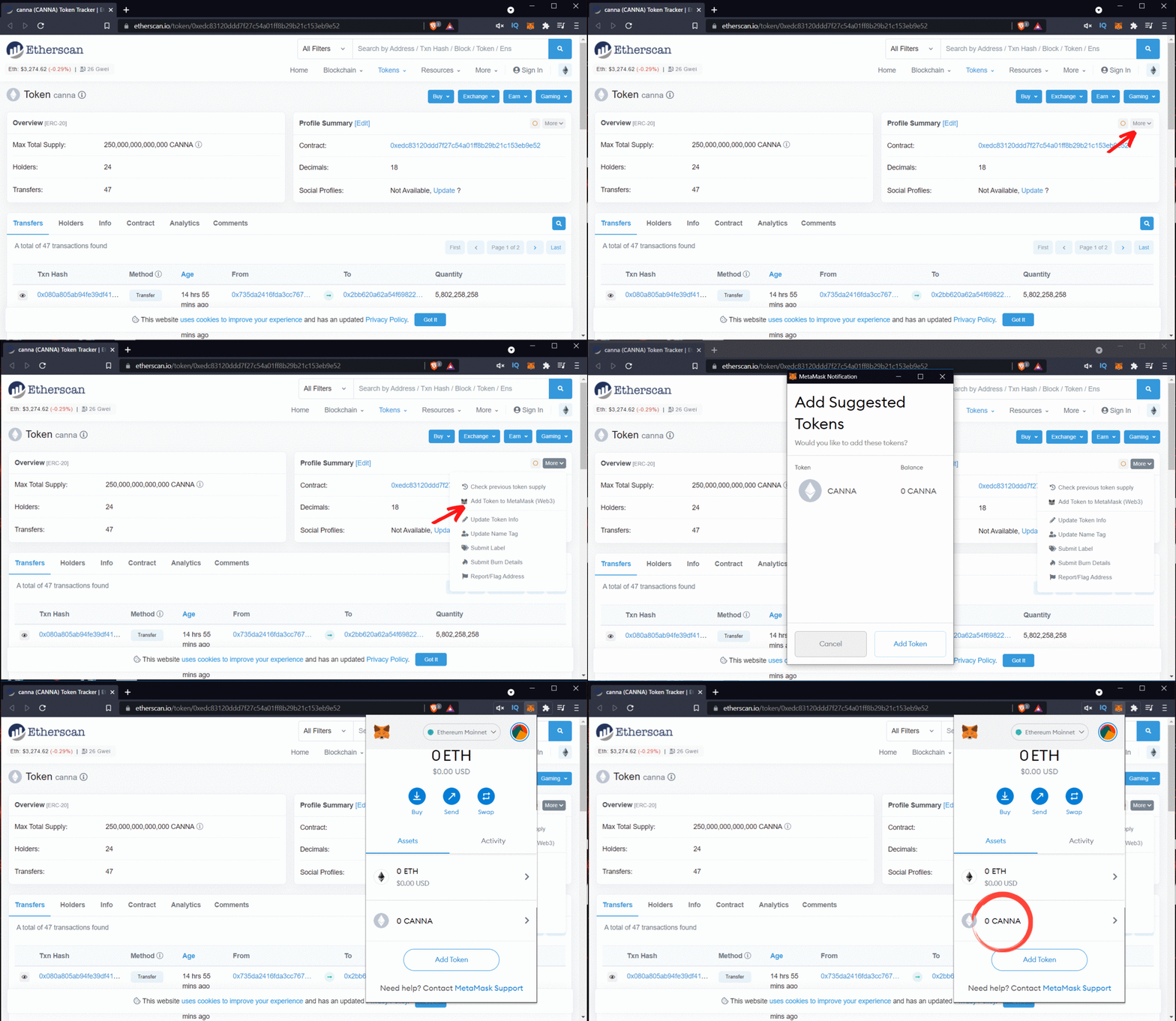
1. Go to etherscan.io
2. Search for CANNA Coin, or go to https://etherscan.io/token/0xedc83120ddd7f27c54a01ff8b29b21c153eb9e52
3. Click on More, on the top right of your Etherscan profile summary
4. Click Add token to web3 wallet
5. Metamask will pop up for you to confirm Add Token
Need more help?
Contact us!
The CannaCoin team is ready to help. Please fill in the information below and a member of our team will contact your directly.